
Latency Spikes and Cache Misses: When Prompt Batching Fails
Hitesh Sondhi · June 30, 2026 · 11 min read
We’ve seen teams shave a few cents off an LLM bill on paper, ship prompt batching on Friday, and spend Monday explaining why p95 latency doubled and users started rage-clicking refresh.
That’s the part people skip.
Batching sounds like free money: fewer requests, better token utilization, lower overhead. And sometimes it is. But in production LLM apps, prompt batching can turn into the software equivalent of carpooling with five strangers who all need to be somewhere different, immediately, and somehow you’re blamed for traffic.
A recent write-up on Dev.to makes the same painful point: prompt batching can make an app more expensive once latency, cache behavior, and provider billing quirks show up in the real world Source.
Key Takeaways
- Prompt batching often improves spreadsheet economics and worsens real production economics.
- The moment you batch unlike requests together, your fastest request waits for your slowest one.
- Large batched prompts can destroy prompt-cache hit rates and push you into higher token bills.
- Provider APIs, token windows, and output variance matter more than batching theory.
- If you care about user-facing latency, dynamic micro-batching usually beats “stuff everything into one mega-prompt.”
The seduction of batching is real
We get why people keep recommending it.
If you’re running offline jobs, eval pipelines, dataset labeling, or bulk summarization, batching can absolutely help. Research like BatchPrompt exists for a reason: packing more work into one inference can improve token utilization in the right setup Source. And cloud providers also support true batch inference for asynchronous workloads because throughput matters there more than instant response time Source.
That’s all fine.
The problem starts when people take a technique that works for offline throughput and jam it into interactive products like chat, support copilots, voice agents, and user-facing workflows. That’s where “when prompt batching made” your app cheaper in theory but worse in practice becomes a very expensive lesson.
We’ve watched this happen in agentic systems and voice flows especially. In a voice AI product, 400 ms can feel annoying. Add another second because you’re waiting to fill a batch, and suddenly your assistant sounds drunk.
Here’s where batching gets weird
There are really two different things people mean by “batching,” and mixing them up causes half the bad advice online.
1. Transport batching
This means sending multiple requests together through infrastructure that actually supports batch execution. Think offline jobs, provider-side batch APIs, queue workers, or GPU schedulers.
This can work well.
2. Prompt batching
This means stuffing multiple independent tasks into one giant prompt and asking the model to return multiple outputs in one response.
This is the dangerous one.
Some API patterns don’t support this cleanly at all, especially in chat-style interfaces where message structure, tool calls, and response parsing get messy. Community complaints about batching in chat completions weren’t random; many teams discovered the API shape and output behavior didn’t really behave like clean “N requests for the price of 1” Source.
That distinction matters more than most blog posts admit.
Why your latency graph suddenly looks like a heart attack
In production, batching changes the latency equation in three ugly ways.
First, you add queueing delay. A request arrives, but instead of being sent immediately, it waits for other requests so the batch can fill. If your traffic is bursty, this might be okay. If your traffic is uneven, some users just sit there waiting for imaginary friends to arrive.
Second, you create tail-latency coupling. One long prompt, one weird generation, one request that needs more output tokens — now the whole batch waits. Your fastest request is handcuffed to your slowest request.
Third, you increase decode variability. Input tokens are the easy part. Output tokens are the chaos monkey. If one batched subtask wants 40 tokens and another wants 900, the merged response becomes unpredictable. That’s not just slower. It’s harder to budget and harder to stream cleanly.
Here’s the basic shape of the problem:
flowchart TD
  A[User requests arrive] --> B[Batching queue waits to fill]
  B --> C[Combined prompt sent to model]
  C --> D[Slowest subtask dominates decode time]
  D --> E[Whole response returns late]
  E --> F[Higher p95 and p99 latency]
This is why batching is often great for nightly jobs and bad for live UX.
We’ve found that in user-facing systems, small dynamic micro-batches can work if traffic is high and requests are homogeneous. Big ad hoc prompt batches usually don’t. They’re like trying to run a restaurant by waiting until exactly eight tables order before the kitchen starts cooking.
That’s not efficiency. That’s a riot.
Cache misses: the silent bill killer
This is the part most teams miss until finance asks why costs went up.
A lot of modern LLM cost engineering depends on repeated prompt prefixes, cached context, or at least stable request structure. If your app sends the same system prompt, the same instructions, the same tool schema, and a small user delta, you can often benefit from provider-side prompt caching or at least predictable token economics depending on the platform.
Then someone decides to batch five unrelated user tasks into one mega-prompt.
Congratulations. You just turned a reusable prefix into a snowflake.
The larger and more variable your batched prompt becomes, the less likely it is to match previous requests in a useful way. Even when a provider offers prompt caching, cache value tends to depend on repeated token prefixes and stable structure. Blow that up with one-off concatenated requests and your cache hit rate can crater. The Dev.to article captures the same pattern: the batching experiment increased costs rather than lowering them once real request behavior entered the picture Source.
Here’s a simple way to visualize it:
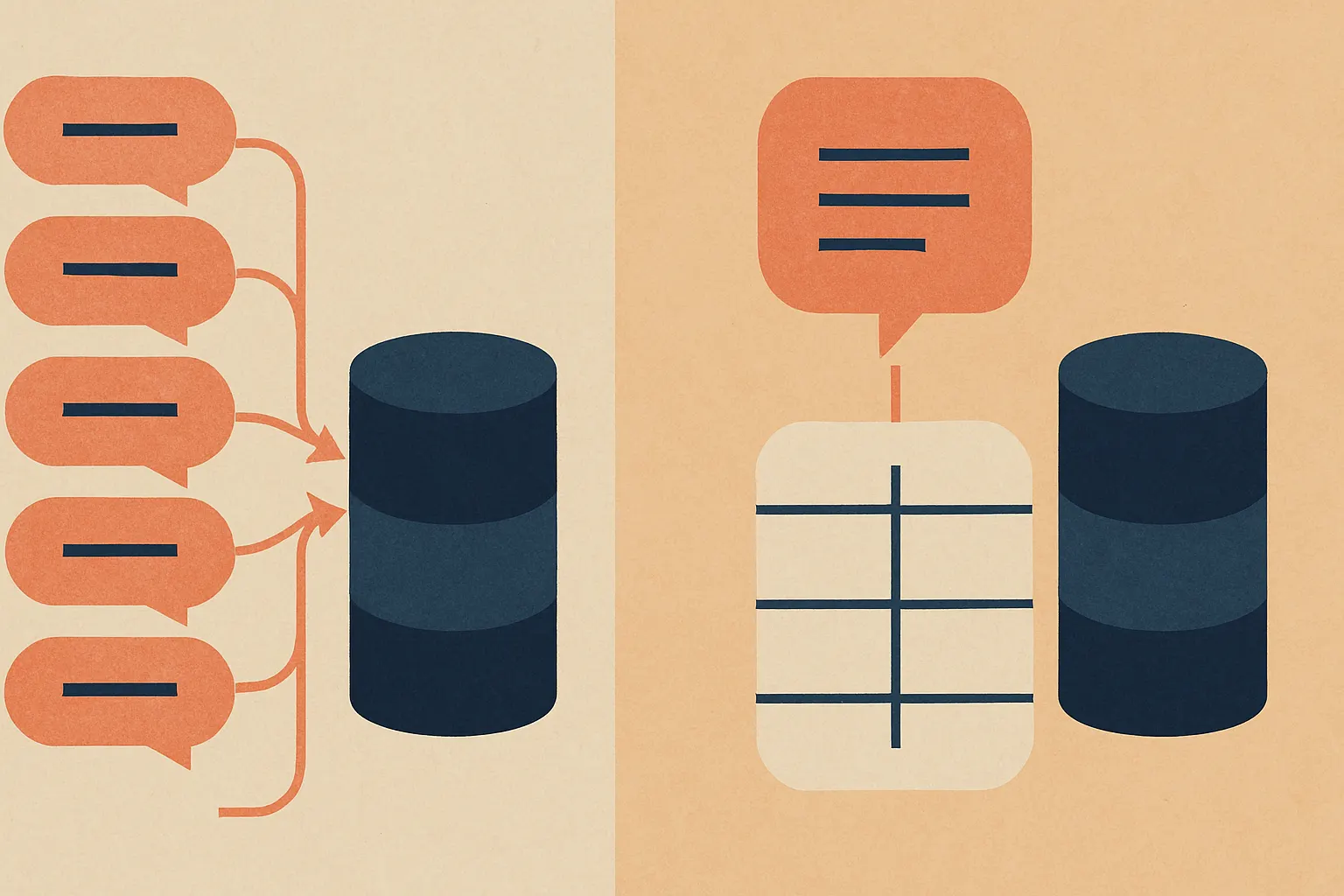
If your system relies on long instruction wrappers, retrieval context, JSON schemas, or tool definitions, batching can be especially brutal. The shared overhead you hoped to amortize gets replaced by a giant custom prompt that can’t be reused.
And now you’re paying premium token rates for the privilege of being clever.
Token windows don’t care about your optimism
People talk about context windows like they’re infinite. They’re not. They’re just bigger than they used to be.
Batch enough prompts together and you start hitting ugly constraints:
- Retrieval context gets trimmed
- Few-shot examples get dropped
- Tool instructions get compressed
- Output budgets become too tight
- Accuracy falls off in ways that are hard to debug
This is why some “batch prompting” research results don’t transfer cleanly into production apps. Controlled benchmarks often use narrow tasks, predictable formats, and carefully bounded outputs Source. Real products are messier. Users paste garbage. Inputs vary wildly. One request needs three bullets; another needs a legal-style rewrite and a JSON object with citations.
Same model. Different battlefield.
In our AI agents work, this is where things usually break first: not raw model quality, but context budgeting. Teams use batching to save request overhead, then quietly lose answer quality because retrieval chunks or tool instructions got squeezed. Nobody notices until users say, “This worked last week. Now it’s weird.”
That’s because it is weird.
Provider pricing is where the spreadsheet lies to you
The naive batching math goes like this:
One request has fixed overhead. Ten requests have 10x overhead. So combine them and save money.
Nice theory. Real billing is messier.
Providers usually charge by tokens, not by how elegant your architecture diagram looks. If batching increases prompt length, lowers cache reuse, inflates output verbosity, or forces larger contexts, your token bill can rise. If it also increases latency, you may need more concurrency or more aggressive autoscaling around your app infrastructure.
Now your “optimization” is attacking both cost and UX.
For some workloads, true asynchronous batch APIs make more sense because they’re designed for throughput-oriented processing rather than user-facing latency Source. That’s a very different use case from stuffing multiple chat requests into one prompt and praying the parser behaves.
Hot take: most teams should stop calling prompt batching a cost optimization until they’ve measured cache effects and p95 latency.
Without that, you’re not doing engineering. You’re doing fan fiction.
The failure mode nobody likes to admit: parsing hell
Even when batching “works,” the output often gets uglier.
You ask for five answers in one response. The model merges sections, skips one item, changes numbering, or gives you four valid JSON objects and one philosophical essay. Now you’re writing brittle post-processors to split and validate outputs.
We’ve tried versions of this. It’s a trap.
The parser code grows teeth. Retries get weird. Partial failures become annoying. One malformed sub-answer can force you to re-run the whole batch, which wipes out any savings you thought you had.
If you’re building custom models or tightly controlled inference stacks, you can sometimes shape outputs better. But with general-purpose hosted LLM APIs, prompt batching often adds a hidden tax in validation and recovery logic.
That tax is real even if it never appears on the provider invoice.
So when does batching actually make sense?
It’s not useless. It’s just overprescribed.
Prompt batching can be reasonable when:
- The workload is offline, asynchronous, or non-interactive
- Inputs are structurally similar
- Output lengths are tightly bounded
- Parsing requirements are simple
- Cache reuse isn’t a major part of your cost strategy
- You’ve measured end-to-end cost, not just request count
That’s why it can fit eval pipelines, classification jobs, synthetic data generation, and back-office document processing better than live chat or voice systems.
For user-facing systems, we usually prefer one of these instead:
Dynamic micro-batching at the infrastructure layer
Group near-simultaneous requests only when the serving stack supports it cleanly. Keep the window tiny. Think milliseconds, not “wait around and see what happens.”
Prefix stabilization
Make repeated prompt structure as stable as possible so caching and token predictability work in your favor.
Model routing
Send simple tasks to smaller, cheaper models and reserve expensive models for hard cases. This usually beats prompt gymnastics. If you’re exploring this, our AI cost estimator is a better starting point than cargo-cult batching.
On-device or edge inference for latency-critical flows
For products like RunHotel or other on-device AI systems, reducing round trips often matters more than shaving request count. If the user is speaking, every extra wait is painfully obvious.
But that’s only half the problem.
The real engineering move: optimize the whole path, not the prompt
When teams ask us for AI consulting, batching is rarely the first thing worth fixing.
Usually it’s one of these:
- Retrieval is bloated
- System prompts are too long
- Tool schemas are absurdly verbose
- The wrong model is handling easy requests
- Streaming is disabled for no good reason
- Retry logic is multiplying cost
- Context is being resent unnecessarily
Those are boring fixes.
They also work.
Here’s a saner production path:
flowchart LR
  A[Measure latency and token costs] --> B[Stabilize prompt prefixes]
  B --> C[Trim retrieval and instructions]
  C --> D[Route by task complexity]
  D --> E[Test micro-batching only for homogeneous traffic]
  E --> F[Use async batch APIs for offline jobs]
That order matters. If you skip to batching first, you’re optimizing the garnish before tasting the food.
What to do before you batch anything
If you’re tempted to batch, run this checklist first:
- Measure p50, p95, and p99 latency before and after.
- Track input tokens, output tokens, and cache hit behavior.
- Separate interactive traffic from offline processing.
- Test with realistic output variance, not toy prompts.
- Count parsing failures and retry rates.
- Compare against model routing and prompt trimming.
If you don’t have those numbers, you don’t know whether batching helped. You have vibes.
And vibes are expensive.
Our blunt recommendation
For most production LLM apps, don’t start with prompt batching.
Start with better prompts, smaller contexts, model routing, cache-friendly request structure, and infrastructure-level optimizations. Use batching for offline jobs or narrow homogeneous tasks. Be extremely suspicious of any advice that treats “combine more prompts” as a universal cost hack.
Because when prompt batching made one team’s app more expensive, it wasn’t some weird edge case. It was a preview of what happens when a neat inference trick collides with actual users, actual latency budgets, and actual billing models Source.
If you want help untangling LLM cost, latency, or architecture tradeoffs, talk to us at /contact.
Don’t worry. We’ll try very hard not to fix your costs by making your app slower.