
Why Browser LLM Agents Waste Tokens on HTML—and How to Stop
Hitesh Sondhi · May 18, 2026 · 12 min read
We watched a browser agent burn through context like a teenager with their first credit card. One task was simple: open a docs page, find the auth header name, fill a form. Instead, the model chewed through navigation menus, cookie banners, hidden SVG sprites, 14 KB of inline CSS, and enough nested <div> tags to make a frontend engineer apologize to their family.
The answer it gave was wrong.
That’s the part people skip. Raw HTML doesn’t just cost more. It often makes agents dumber, slower, and weirdly confident.
If you’re building browser-based LLM workflows, here’s the blunt version: stop feeding raw html unless you absolutely need DOM-level precision. Most teams are paying an agentic token tax because they’re asking a language model to moonlight as a browser parser, boilerplate filter, and content extractor. That’s bad architecture.
Key Takeaways
- Raw HTML is a token furnace. Most of it is layout noise, not task-relevant information.
- Browser agents perform better when you pass structured page data, not the full DOM soup.
- The right pipeline is usually: navigate with the browser, extract with rules, send compact context to the LLM.
- If your agent reads docs, dashboards, or knowledge pages, stop feeding raw html and use markdown, JSON, or semantic chunks instead.
- You’ll usually cut cost, latency, and hallucinations at the same time. Rare triple win.
The Expensive Mistake: Treating LLMs Like HTML Parsers
A lot of agent stacks still work like this: Playwright loads a page, grabs document.documentElement.outerHTML, and shoves the whole thing into the model. It feels convenient because it’s one line of code and gives the model “everything.”
Everything is the problem.
HTML is full of junk the model doesn’t need: wrappers, repeated nav, tracking snippets, accessibility helpers, hidden components, icon markup, footer sludge, hydration artifacts, and giant chunks of JS-adjacent nonsense. On many modern sites, the actual text you care about is a minority shareholder in its own document.
Here’s how the waste usually happens:
flowchart TD
  A[Browser loads page] --> B[Grab full HTML]
  B --> C[Send giant prompt to LLM]
  C --> D[LLM parses boilerplate + content]
  D --> E[Find tiny useful fact]
  E --> F[Take action]
That pipeline works the way searching for your car keys works if you dump your whole house into a warehouse and then hire a poet to look through it.
Technically possible. Financially stupid.
Why Raw HTML Blows Up Token Usage
Token cost is not just about page size in characters. It’s about how much low-signal text you force the model to inspect before it reaches the useful bit.
A lot of public discussion around this problem points to dramatic reductions when teams switch from raw pages to cleaned content. For example, Firecrawl markets “up to 80% token reduction” when converting pages into cleaner structured outputs instead of passing raw HTML Firecrawl. Jina Reader is built around the same premise: fetch a page, strip the junk, and return LLM-friendly content Jina AI Reader. Crawl4AI also exists because plain web content is messy and agents need cleaner extraction paths Crawl4AI.
Those numbers vary by site. But the direction is obvious.
In our experience, docs pages and SaaS dashboards are the worst offenders. You’ll often see huge repeated chrome around a tiny center column of actual meaning. The model pays attention to all of it unless you intervene.
And yes, you’re paying for the same navbar over and over again.
Why This Also Hurts Accuracy
People frame this as a cost problem. It’s also a reasoning problem.
When you dump raw HTML into a model, you’re mixing signal with garbage at a terrible ratio. The model now has to infer what matters from a swamp of layout and implementation detail. That’s like asking a chef to judge a meal while you keep throwing in grocery receipts and empty spice jars.
The result is classic agent weirdness:
- It grabs text from hidden elements
- It confuses template labels with actual values
- It reads duplicated mobile and desktop menus as separate facts
- It follows irrelevant links because they appear early in the DOM
- It misses the main content because the page shell is louder
We’ve seen this pattern especially in browser automation tasks where the agent has to inspect a page, make a decision, and then act. If your observation step is polluted, every downstream step gets shakier.
Garbage in, but with confidence.
The Better Pattern: Browser for Interaction, Extractor for Understanding
This is the architectural shift most teams need. Use the browser to render and interact. Use a separate extraction layer to produce compact, structured context. Then send that to the model.
Not the whole page.
The useful page.
Here’s the pattern we recommend for most browser LLM workflows:
- Use Playwright or Puppeteer to navigate, click, authenticate, and wait for dynamic content.
- Extract the main content using DOM selectors, readability-style parsing, or a content service.
- Convert the result into markdown, JSON, or a small task-specific schema.
- Pass only that compact representation to the model.
- Keep a fallback path to raw DOM inspection only when the task genuinely needs it.
Here’s what that looks like in practice:
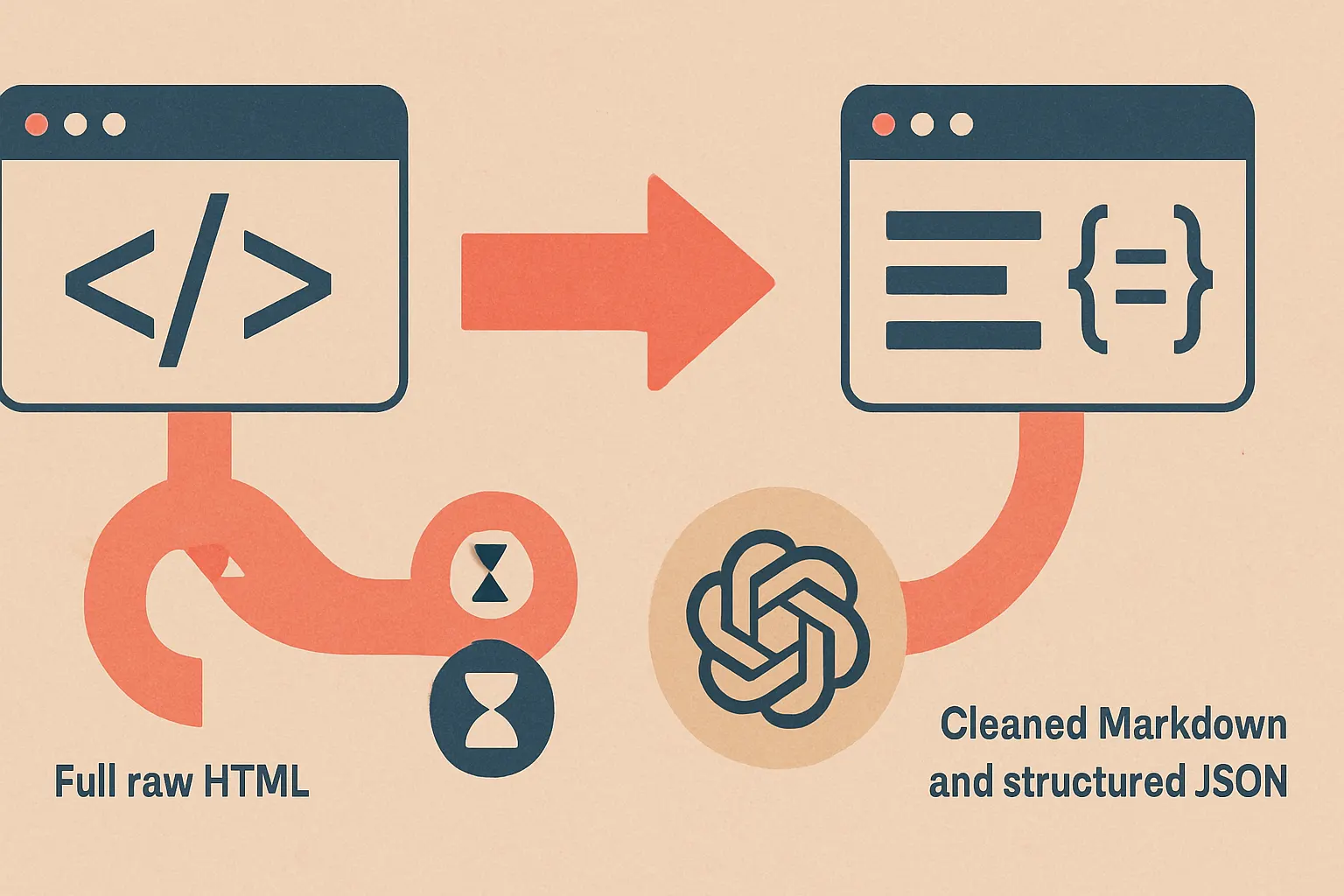
This is where stop feeding raw html stops being a slogan and becomes an engineering rule.
What to Send Instead of Raw HTML
There isn’t one universal replacement. The right format depends on the job.
1. Markdown for reading tasks
If the agent needs to read docs, articles, help pages, changelogs, or policy text, markdown is usually the sweet spot. It preserves headings, lists, links, tables well enough, and drops most of the markup sludge.
That’s why tools like Jina Reader are getting traction. They turn “the web page as implementation artifact” into “the web page as readable document” Jina AI Reader.
Markdown is boring. That’s why it works.
2. JSON for action-oriented tasks
If the model needs to decide what to click, submit, compare, or extract, JSON is often better. You can provide fields like:
- page title
- visible buttons
- form fields
- selected values
- validation errors
- relevant text blocks
- candidate links
Now the model reasons over a compact state description instead of a DOM jungle.
We’ve done similar state-shaping in AI product work where the model only needs the decision surface, not the implementation guts. It’s the same principle behind good AI agents: don’t make the model work harder than the task requires.
3. Semantic chunks for retrieval-heavy workflows
If your browser agent navigates across multiple pages and builds context over time, chunk the extracted content semantically. Section-aware chunks beat arbitrary token windows because they preserve intent.
A pricing section should stay a pricing section. A troubleshooting step should stay attached to its warning note.
This matters more than people think.
Three Extraction Strategies That Actually Work
Readability-style extraction
For content-heavy pages, use Mozilla Readability or a similar parser to isolate the main article body Mozilla Readability. It’s not perfect, but it’s much better than asking the model to separate the steak from the plate.
This is the fastest fix for teams who need immediate savings.
Targeted DOM schemas
For product UIs, define exactly what the model sees: visible text, actionable elements, labels, values, and a few spatial hints. Think of it like giving a pilot instruments instead of asking them to inspect the engine mid-flight.
We prefer this for agents that operate inside web apps.
External content normalization
If you’re crawling the open web, use tools built to normalize pages into LLM-friendly outputs. Firecrawl, Crawl4AI, and Jina Reader all exist because this problem is common and annoying Firecrawl, Crawl4AI, Jina AI Reader.
Hot take: if your “AI architecture” is just “Playwright plus outerHTML plus vibes,” you don’t have an architecture. You have a token leak.
A Practical Browser Agent Pipeline
The real trick is splitting observation into layers.
First, capture cheap metadata. Then extract structured content. Only if the model still can’t decide should you escalate to richer context. Most workflows never need the full DOM.
Here’s a better flow:
flowchart TD
  A[Load page in browser] --> B[Collect visible UI state]
  B --> C[Extract main content or schema]
  C --> D[Send compact context to LLM]
  D --> E{Need more detail?}
  E -- No --> F[Plan and act]
  E -- Yes --> G[Fetch targeted DOM fragment]
  G --> D
That escalation step matters. It keeps expensive context as the exception, not the default.
At Cropsly, we’ve used this kind of staged context design in systems where latency and cost actually matter, especially when models are running close to the edge or under tight budgets. If you care about on-device AI or production-grade custom models, wasting tokens on boilerplate feels even more ridiculous.
You notice every bad byte.
When Raw HTML Is Actually Justified
We’re not absolutists. Sometimes raw DOM access is necessary.
Use it when:
- You need exact selectors for interaction
- The page is heavily dynamic and content extraction fails
- Visibility, nesting, or attributes affect the task
- You’re debugging automation failures
- The target information lives in structured markup the extractor drops
But even then, send fragments, not the whole page. Grab the relevant subtree. Annotate it. Keep the blast radius small.
This is the difference between using a scalpel and using a leaf blower indoors.
How to Measure the Agentic Token Tax
If you want this article to pay for itself, instrument three things this week:
Prompt token count per page step
Track how many input tokens each browser observation sends. Break it down by page type. You’ll quickly find the serial offenders: docs pages, settings screens, giant tables, and “modern” marketing sites with enough DOM nodes to qualify as a cry for help.
Task success rate before and after cleaning
Don’t just measure cost. Measure whether the agent gets the answer right more often when fed structured content.
It usually does.
End-to-end latency
Fewer tokens often means faster responses, especially when the model no longer has to sift through markup noise. If you want a rough planning shortcut, use a tool like our AI cost estimator to model the impact before you refactor everything.
That won’t replace real tracing, but it will stop hand-wavy budgeting.
The Hidden Win: Smaller Context Makes Better Systems
There’s a second-order effect here that people miss. Once you stop shoveling raw pages into the model, your whole system gets easier to reason about.
Prompts get shorter. Debugging gets cleaner. Evaluations become more comparable. Caching starts to work. You can swap models more safely because the input format is stable.
That’s not cosmetic. That’s operational sanity.
We’ve seen the same pattern in voice and edge systems too. If you want something fast and reliable, you shape the input before it hits the model. You don’t dump the universe in and pray. That’s true for voice AI, browser agents, and products like RunHotel, where every unnecessary token or millisecond has a very real cost.
Bad inputs create fake complexity.
A Simple Rule of Thumb
If a human wouldn’t want to read it, your model probably shouldn’t either.
That rule isn’t perfect, but it’s surprisingly useful. Hidden spans, tracking scripts, giant nav menus, and CSS class soup aren’t helping the model do knowledge work. They’re just making it sweat.
So yes, stop feeding raw html in browser-based LLM workflows unless the task truly demands it. And if it does, feed the smallest relevant slice, not the entire haunted mansion.
FAQ
Should browser agents ever see the DOM directly?
Yes, sometimes. DOM access is useful for precise interaction and debugging, but the model usually doesn’t need the full page HTML to reason well.
Is markdown always better than HTML?
No, but it’s often better for reading tasks. Markdown strips layout noise while keeping the content structure that matters for summarization, QA, and retrieval.
What’s the best format for web app automation?
Usually a compact JSON state. Give the model visible text, actions, fields, values, and errors instead of a giant blob of markup.
Can this reduce hallucinations, or just cost?
It can reduce both. Cleaner inputs improve signal-to-noise ratio, which often helps the model focus on the right facts and actions.
What should we do first if our agent is expensive?
Measure observation prompts by token count and page type. Then replace raw page dumps with markdown extraction or task-specific schemas on the worst offenders first.
The Move We’d Make This Week
Pick one browser workflow that reads a lot of web content. Replace full-page HTML prompts with markdown or a small JSON schema. Measure token count, latency, and task success for a week.
You probably won’t go back.
If you want help designing that pipeline, tuning extraction, or building production-grade AI consulting and agent systems, talk to us at Cropsly. We like fixing expensive mistakes.
And this one is expensive.