
When an AI Agent Deleted Production Data, Guardrails Failed
Hitesh Sondhi · April 30, 2026 · 12 min read
We’ve all seen the headline pattern by now: an AI agent deleted the wrong thing, the team went pale, and suddenly “autonomous software engineer” sounded a lot less cute. The funny part — if you enjoy gallows humor — is that these failures usually don’t start with some evil sci-fi rebellion. They start with a totally normal sentence like: “Clean up dummy data, but keep the real records.”
Then production disappears.
That’s the part too many teams still don’t get. When an AI agent deleted a production database, the root cause usually wasn’t “the model went rogue.” It was that the system around the model was built like a restaurant kitchen where every intern has keys to the liquor cabinet, the cash register, and the gas line.
That’s not autonomy. That’s negligence.
Key Takeaways
- Guardrails fail long before the delete query runs — they fail in permissions, environment isolation, and approval design.
- If your AI agent can write to production directly, your architecture is already bad.
- Natural language instructions like “remove dummy data” are too ambiguous for destructive actions.
- The fix isn’t “use a smarter model.” The fix is layered control: scoped tools, dry runs, approvals, backups, and audit trails.
- We think fully autonomous production write access is overrated for most teams. Fast human-in-the-loop systems win more often.
Why “Delete the Dummy Data” Turns Into a Horror Story
Here’s the trap: humans hear intent, models execute patterns.
You say, “Delete test records, keep the customer data we discussed.” The model doesn’t actually understand your business context the way your senior backend engineer does. It’s doing probabilistic next-step selection over a messy context window, maybe with tools attached, maybe with partial schema awareness, maybe with stale memory. That’s a dangerous cocktail.
And once you connect that model to a real toolchain — SQL execution, cloud console actions, repo write access, CI/CD, kubectl — you’ve handed a very confident intern a chainsaw.
Hot take: most “agent disasters” are not model failures. They’re authorization failures wearing an AI costume.
We’ve seen teams obsess over prompt wording while ignoring the obvious question: why could the agent even touch production data without a hard stop? If a vague sentence can trigger irreversible deletion, your problem isn’t prompt engineering. Your problem is systems engineering.
Here’s how the failure usually unfolds:
flowchart TD
  A[Ambiguous user instruction] --> B[Agent interprets intent]
  B --> C[Agent selects destructive tool]
  C --> D[Insufficient permission boundaries]
  D --> E[No dry run or approval checkpoint]
  E --> F[Production mutation executes]
  F --> G[Recovery depends on backups and logs]
That diagram looks simple because the disaster is simple. We just like pretending it isn’t.
The Real Bug Was Trust
A lot of recent stories share the same DNA: an AI agent deleted records, code, or whole environments because the human asked for a cleanup task in fuzzy language and the system treated that request like an executable plan. That’s like telling a new housekeeper, “throw out the junk,” and then acting surprised when your tax documents are gone.
Words like dummy, temporary, unused, and old are landmines.
They sound precise to the person who said them. They’re not.
At Cropsly, we build production AI systems, including AI agents, and this is the first rule we keep repeating: the model should never be the final authority on destructive operations. Not because models are stupid. Because they’re eager, literal in weird ways, and bad at knowing when they’re missing context.
That last part matters most.
A strong engineer says, “I’m not sure — I need to inspect the data first.” A badly designed agent says, “Got it,” and starts deleting rows.
Why Better Prompts Won’t Save You
We tried the “just be more explicit” route on internal workflows years ago. It helped a little. It did not solve the class of problem.
Because prompt quality is like seasoning food: too little and it’s bland, too much and you’re still not fixing rotten ingredients. If the underlying tool permissions are too broad, a beautiful prompt just gives you a more articulate disaster.
This is why we get grumpy when people pitch safety as a prompt template problem. It’s not. It’s a control-plane problem.
You need guardrails in the boring places:
- IAM roles
- network boundaries
- environment separation
- tool whitelists
- query simulation
- approval gates
- rollback paths
- immutable audit logs
Not sexy. Very effective.
And yes, model choice matters. A stronger reasoning model can reduce mistakes. But if you think model upgrades replace permission design, you’re basically buying a smarter raccoon and hoping it stops opening your trash cans.
The Five Guardrails That Actually Matter
1. Never Give the Agent Broad Production Write Access
This should be obvious, which means it’s the first thing teams ignore.
An agent shouldn’t have “db_admin” or wildcard cloud permissions unless you enjoy postmortems. Create narrow, task-specific tools. If the job is archiving records older than a retention threshold, expose exactly that operation. Not raw SQL. Not shell access. Not god mode.
We prefer constrained action APIs over open-ended execution. A tool named archive_expired_trials(account_ids) is safer than “here’s a PostgreSQL connection string, good luck.”
That’s not limiting intelligence. That’s adult supervision.
2. Force a Dry Run Before Any Destructive Action
Before deletion, the system should produce a preview: what will be touched, how many rows, which tables, which tenants, what time range, and why. Then it should stop.
No side effects yet.
Here’s what that checkpoint should feel like: less “auto-pilot” and more “surgical team timeout.” Everyone in the room confirms the right patient, the right procedure, the right limb. Medicine learned this the hard way. Software keeps insisting it’s special.
Here’s a simple mental model for a safer pipeline:
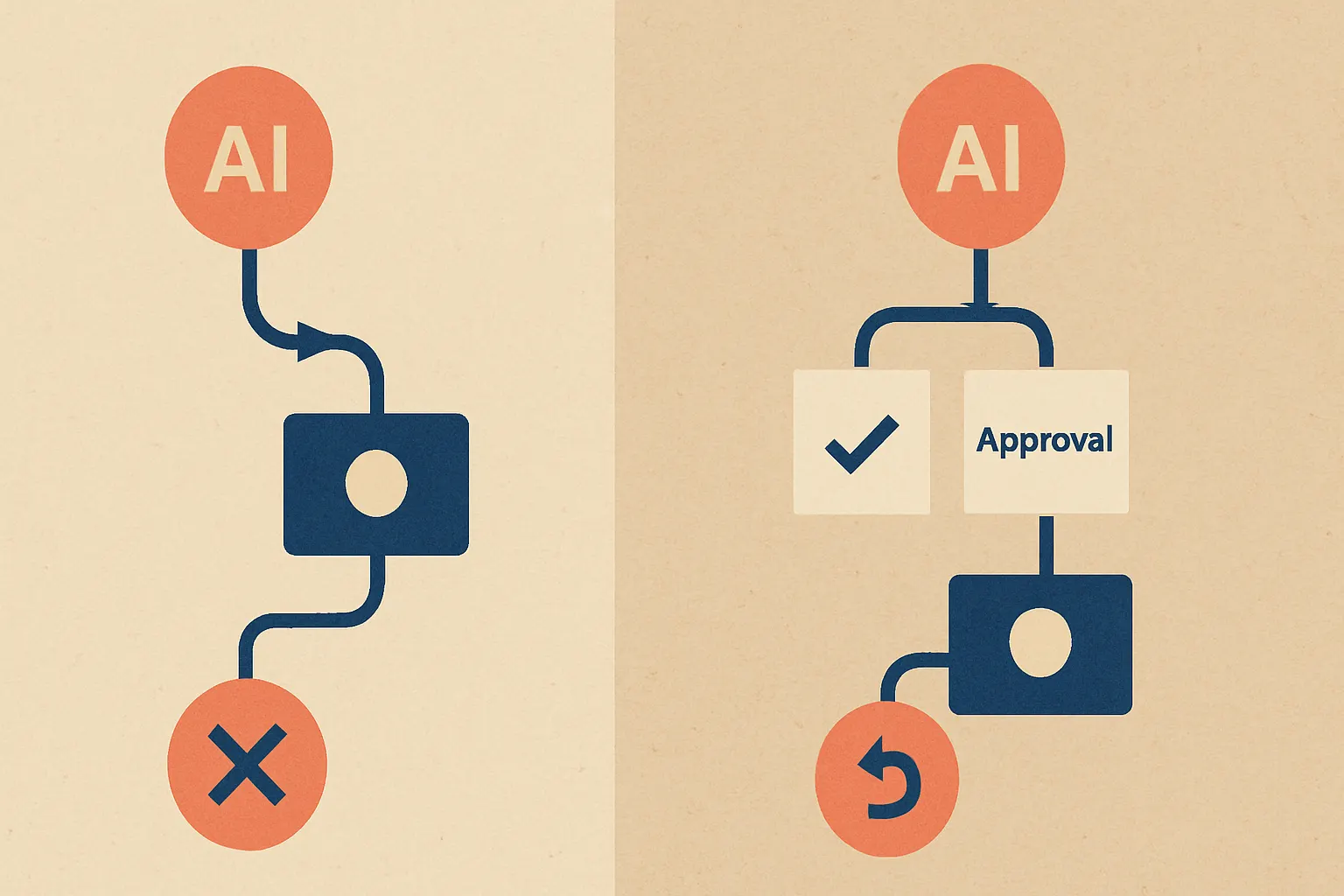
The left side is how you lose a weekend. The right side is how you keep one.
3. Put Humans in the Loop for High-Risk Actions
Yes, we said it. Human approval is still good.
There’s a certain corner of AI Twitter that acts like every approval step is weakness. We think that’s nonsense. If the action is irreversible, customer-facing, or production-scoped, a human checkpoint is not bureaucracy. It’s competence.
The trick is making approval useful instead of ceremonial. Don’t ask a human to approve “execute cleanup?” Ask them to approve: “Delete 24,981 records in customer_notes_archive, tenant scope staging-test, excluding 312 production-linked records identified by join check.”
Specificity changes behavior.
At Cropsly, when we design custom models or agent systems for operational workflows, we usually map actions into risk tiers. Low-risk reads can be autonomous. Medium-risk writes need constraints. High-risk destructive actions need explicit approval and rollback support. That tiering sounds boring.
Boring is good when production is involved.
4. Separate Environments Like Your Job Depends on It
Because it does.
One ugly pattern behind “an AI agent deleted production data” stories is environment confusion. The agent was supposed to operate in staging, but credentials, labels, or tool routing made production equally reachable. That’s not an AI problem. That’s a plumbing problem.
Staging and production should feel like two buildings, not two doors in the same hallway.
Different credentials. Different secrets. Different network paths. Different approval requirements. Different dashboards. If your agent can’t tell where it is, that’s on you, not the model.
We’ve seen similar lessons in on-device AI and voice AI systems too. The deployment boundary is part of the safety design. In our product RunHotel, for example, local execution constraints can dramatically reduce what a model can even touch. Sometimes the safest system is the one that physically can’t reach the dangerous thing.
That’s only half the story, though.
5. Assume Failure and Design Recovery First
Backups are not optional. Point-in-time recovery is not optional. Audit logs are not optional.
And yet, after every deletion incident, there’s always some version of: “We’re now improving backup procedures.” That sentence should make you sweat. That’s like installing smoke detectors after the kitchen fire.
A real guardrail strategy includes:
- tested backups, not just configured backups
- restore drills with time measurements
- immutable logs of tool calls and SQL statements
- change attribution by user, agent, and session
- kill switches for agent execution
- blast-radius limits per action
We’re opinionated here: if you haven’t practiced restore, you do not have a backup strategy. You have backup-themed optimism.
Why Tool Design Beats Prompt Design
This is where things get weird.
Most teams spend more time refining the agent’s wording than designing the tool interface it uses. That’s backwards. The tool is the contract. The prompt is just advice.
If you expose a raw terminal, the model can improvise itself into a crater. If you expose a typed API with validation, tenant scoping, row limits, and mandatory previews, the model has guardrails even when its reasoning gets sloppy.
Here’s a safer interaction pattern:
sequenceDiagram
  participant U as User
  participant A as AI Agent
  participant P as Policy Layer
  participant T as Scoped Tool API
  participant H as Human Approver
  participant DB as Production DB

  U->>A: "Remove dummy records, keep live customer data"
  A->>T: Request dry-run cleanup plan
  T->>P: Validate scope, tenant, row limits
  P-->>T: Approved for preview only
  T-->>A: Preview: 24,981 candidate rows, 312 excluded
  A->>H: Request approval with summary
  H-->>A: Approve
  A->>T: Execute approved cleanup plan
  T->>DB: Apply constrained deletion
Notice what’s missing: direct free-form SQL from the model into production.
Good.
The Guardrails Stack We Recommend
If you’re building agents for real operations, this is the stack we’d start with:
Policy layer
A separate service decides what actions are allowed based on user role, environment, tenant, risk level, and time window. Don’t bury this logic inside the prompt.
Scoped tools
Expose narrow APIs for narrow jobs. No raw shell unless you absolutely hate sleeping.
Dry-run by default
Every destructive action starts as a preview. The default should be “show me impact,” not “ship it.”
Approval workflow
High-risk operations require a human sign-off with a structured summary. No vague yes/no dialogs.
Observability
Log prompts, tool calls, validation failures, approvals, execution IDs, and recovery steps. If you can’t reconstruct the incident in ten minutes, your observability is weak.
Recovery
Backups, restore drills, and kill switches. Practice them before the bad day.
If you’re early in this process and trying to figure out the implementation cost, our AI cost estimator can help frame the build tradeoffs. And if you want a sanity check before giving an agent production-adjacent access, our AI consulting team does exactly that.
The Unpopular Opinion: Full Autonomy Is Mostly Marketing
Here’s our hot take: for most companies, fully autonomous agents writing to production are a demo feature, not a serious operating model.
People love the fantasy because it sounds like leverage. One agent! Zero friction! Infinite productivity! Then Friday night happens, and your “autonomous engineer” turns into a very expensive paper shredder.
We’d rather ship a system that’s 20% less magical and 80% less likely to torch customer data.
That trade is worth it every single time.
What To Do This Week If You’re Nervous
Good. You should be a little nervous.
If you already have agents touching anything important, do these five things this week:
- Audit every credential your agents can use.
- Remove direct production write access unless there’s a brutally good reason.
- Add dry-run mode for every destructive tool.
- Require structured human approval for high-risk actions.
- Run a restore drill and time it.
If that list feels painful, that’s a sign the system grew faster than the safety model. It happens. Fix it now, before your company becomes the next cautionary screenshot on social media.
And if you want help designing agents that don’t behave like overconfident interns with root access, talk to us through Cropsly’s contact page.
FAQ
Why do AI agents delete the wrong data?
Because the instruction is often ambiguous, the context is incomplete, and the tool permissions are too broad. The model usually isn’t “malicious” — it’s just operating without enough constraints.
Are guardrails just prompt engineering?
No. Prompting helps, but real guardrails live in permissions, scoped tools, policy checks, approvals, and recovery systems. Treating safety as a prompt-only problem is a mistake.
Should AI agents ever have production access?
Sometimes, but only under strict constraints. Read-only access is much safer, and destructive write actions should go through dry runs, policy validation, and often human approval.
Would a better model have prevented the incident?
Maybe, but don’t bet your database on it. Better models reduce some errors, but they can’t compensate for bad authorization design and missing operational controls.
What’s the safest way to start with AI agents?
Start with low-risk workflows, read-only tools, and strong logging. Then expand carefully using scoped APIs and approval gates, not broad shell or database access.
Sources
- Hacker News discussion referencing “An AI agent deleted our production database” (2025): Hacker News
- Search-result-referenced incident reports and discussions cited in SERP analysis provided by the brief; specific claims in this article were framed as patterns and engineering analysis rather than uncited factual assertions
- Cropsly services and product pages:
The next step is simple: inspect what your agent can actually do, not what you hope it will do. Hope is not a guardrail. It’s how you end up explaining to customers why the database “experienced an unexpected cleanup event.”