
Production AI Agents Break Without Clear Policies—Microsoft Offers Devs a Fix
Hitesh Sondhi · June 5, 2026 · 6 min read
We’ve seen agents fail in ways that don’t look dramatic in a demo, but absolutely wreck production. One agent gets permission to send emails, another can touch billing data, and suddenly your “helpful automation” is acting like an intern with root access and no adult supervision.
That’s why Microsoft’s new agent policy file idea matters.
Not because policy files are sexy. They’re not. They’re the AI equivalent of seatbelts and health inspections. Boring right up until the moment you realize you needed them yesterday.
According to TechCrunch, microsoft offers devs a better way to control AI agent behavior through a specification for policy files that define what agents can and can’t do, especially across tools, data, and workflows TechCrunch. If you’re running production agents, that’s not a nice-to-have. That’s the missing layer between “cool prototype” and “please don’t let legal call us.”
Key Takeaways
- Policy files give AI agents explicit behavioral boundaries instead of vague prompt-level “please be careful” instructions.
- The real value isn’t compliance theater. It’s operational control across tools, permissions, and multi-agent handoffs.
- If your guardrails live only in prompts, your architecture is fragile.
- The best production setup combines policy files, runtime enforcement, audit logs, and human escalation paths.
Prompt Guardrails Were Always Too Flimsy
A lot of teams still treat policy as a prompt engineering problem. “Never expose PII.” “Only use approved tools.” “Ask for confirmation before taking action.”
That works until it doesn’t.
The problem is simple: prompts are suggestions to a probabilistic system. Policies need to be constraints enforced by the stack. If an agent can call a tool, access a datastore, or trigger another agent, then the real control surface is infrastructure, not wording.
That’s the hot take: prompt-only guardrails are overrated. They’re fine for demos and terrible as your last line of defense.
We learned this the hard way on agent workflows with external actions. The moment an agent can do something in the real world — send, approve, delete, refund, escalate, schedule — you need controls that survive bad prompts, weird context windows, and model drift.
Here’s the mental model we use: prompts shape behavior, policies bound behavior, and runtime checks enforce consequences.
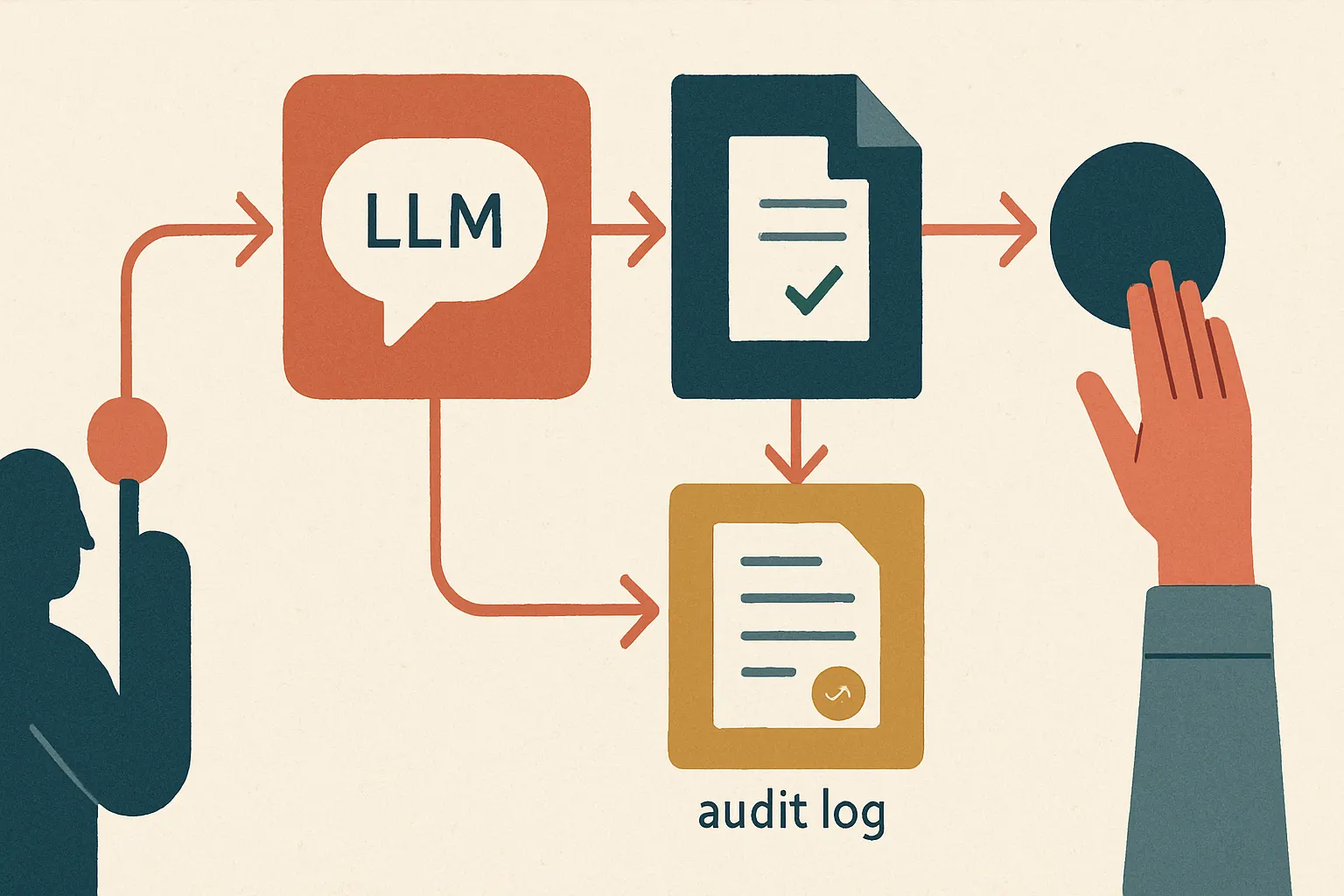
Before we get abstract, here’s what that architecture usually looks like.
What Microsoft’s Policy Spec Actually Changes
Based on TechCrunch’s reporting, Microsoft is proposing a structured way for developers to declare agent behavior rules, rather than stuffing all that logic into system prompts or app code TechCrunch.
That matters for three reasons.
First, it separates policy from model behavior. Good. You want the rules to be inspectable, versioned, and testable without spelunking through a 900-line prompt that reads like a hostage note.
Second, it makes multi-agent systems less chaotic. In a real workflow, one agent retrieves data, another summarizes it, a third takes action. Without a shared policy layer, handoffs become a game of telephone with compliance risk attached.
Third, it gives security teams something concrete to review. That’s a bigger deal than most AI teams admit.
Because here’s where it gets weird.
Most agent failures aren’t “the model hallucinated a fun fact.” They’re “the system allowed an action it should never have allowed.” That’s an architecture bug wearing an AI costume.
The Production Pattern We’d Recommend
If you’re building AI agents, don’t stop at a policy file. Use it as one layer in a control stack.
Here’s how the flow should work:
flowchart TD
  A[User Request] --> B[Agent Planner]
  B --> C[Policy Evaluation]
  C --> D{Allowed Action?}
  D -->|Yes| E[Tool/API Execution]
  D -->|No| F[Block or Redact]
  E --> G[Audit Log]
  F --> G
  G --> H[Human Review if Needed]
The policy file should define allowed tools, data classes, action scopes, escalation requirements, and forbidden operations. Then your runtime should actually enforce those rules before a tool call happens.
Not after. Before.
For example:
- A support agent can read order status but can’t issue refunds above a threshold without approval.
- A sales agent can draft emails but can’t send them to domains outside an approved list.
- A voice assistant in hospitality can answer room-service questions but shouldn’t expose guest identity or payment details. That’s especially relevant in voice AI and products like RunHotel, where natural interaction can trick teams into underestimating policy risk.
Compliance Isn’t the Most Interesting Part
Yes, policy files help with compliance. Security reviews get easier. Audits get less painful. You can map controls to actual system behavior instead of hand-waving.
But the bigger win is operational sanity.
When you’re running multiple models, custom tools, and human-in-the-loop checkpoints, policy becomes the shared contract. It tells every component what’s legal, what’s risky, and what requires escalation. That’s true whether you’re deploying cloud agents, custom models, or on-device AI where local execution changes the trust boundary.
We’ve found that teams usually underestimate two things:
- How fast agent permissions sprawl.
- How hard it is to explain agent behavior after an incident.
Policy files help with both. If they’re versioned properly, you can answer the ugly questions: what did the agent know, what was it allowed to do, and why did it do that on Tuesday at 3:14 p.m.?
That’s not glamorous. It’s just how grown-up systems work.
Don’t Treat This as a Microsoft-Only Thing
Even if you never touch Microsoft’s stack, the idea is solid. Structured agent policy should become a default pattern across frameworks.
The mistake would be copying the spec and calling it done. A policy file without enforcement is like a “No Diving” sign next to a pool party. Nice sentiment. Useless under pressure.
If you’re building production AI, pair policy specs with:
- tool-level permission checks
- scoped credentials
- output filtering for sensitive data
- immutable audit logs
- approval gates for high-risk actions
- regression tests for policy violations
And yes, you should test policy the same way you test APIs. If you don’t, your agent stack is basically held together with optimism.
What You Should Do Next
Start by listing every action your agent can take, every system it can touch, and every handoff it can trigger. Then write policy outside the prompt and enforce it in code.
If you’re early, great. You can do this before the mess starts.
If you’re already in production, you probably need an agent permission audit this week, not next quarter. We can help with AI consulting, implementation, and architecture reviews — or just pressure-test the thing before it embarrasses you in front of customers. If you want a second set of eyes, talk to us here. And if budget is part of the conversation, our AI cost estimator is a good place to start.
Because the difference between a useful agent and a liability usually isn’t intelligence.
It’s policy.