
Why Teams Start i design with claude Before Opening Figma
Hitesh Sondhi · June 8, 2026 · 12 min read
A weird thing happened this year: people who used to worship at the altar of perfect frames and tidy component libraries started sketching product ideas in a chat box first.
And honestly, we get it.
We've watched founders burn two days in Figma debating button radius before they had agreement on the actual workflow. Then we watched the same teams get to a sharper first draft in 20 minutes by talking to Claude like it was a slightly obsessive product designer who never gets tired, never rolls its eyes, and doesn't mind your 14th "actually, make it feel calmer" revision.
That's the appeal behind the growing i design with claude crowd. Not because Figma is dead. It isn't. But because early product design has always had a bottleneck, and the bottleneck wasn't pixels.
It was thinking.
The recent wave of interest around Claude Design and related workflows didn't come out of nowhere. Anthropic has been pushing Claude deeper into design and prototyping workflows, and users have been publicly saying they now start in Claude before Figma because iteration is faster and cheaper in conversation than on a canvas Jane Street.
That sounds dramatic.
It's also mostly true.
Key Takeaways
- Claude-style conversational design is absurdly good at early exploration, copy, flows, and "show me five directions" work.
- Figma still wins when visual precision, systems consistency, and multi-designer production work actually matter.
- If your team opens Figma too early, you're often polishing assumptions instead of testing them.
- The best workflow isn't Claude *or* Figma. It's Claude first, Figma second, code third.
- Hot take: most early-stage product teams don't have a design execution problem. They have a decision-making problem wearing a design costume.
The thing Claude is better at than Figma
Figma is a phenomenal tool for arranging, refining, and systematizing visual decisions.
But that's exactly the problem in early product design: most of those decisions shouldn't be visual yet.
When a team says "we need to design the onboarding," what they usually mean is a mess of unresolved questions:
- What is the user trying to do in the first 30 seconds?
- What can we safely ask up front?
- Where will people hesitate?
- What's the shortest path to value?
- Do we want this to feel like a concierge, a dashboard, or a wizard?
Those are language problems before they're layout problems.
That's why i design with claude resonates. Claude can sit in the ambiguity with you and keep generating options without the social friction of a real meeting. You can say, "Give me three onboarding flows for a hotel staff voice assistant, one optimized for speed, one for trust, one for compliance," and get something useful immediately. Then you can keep going. "Shorter." "Less corporate." "Make it usable by tired night-shift staff." "Now write the empty states."
That loop matters.
We saw this pattern repeatedly in product discovery work: the team that can cheaply explore more conceptual directions before committing to screens usually ends up with a better product. Not because AI is magically creative, but because conversational iteration reduces the cost of being wrong early.
Figma doesn't reduce that cost.
It often hides it.
Why chat beats canvas when the product is still mushy
Early design is like trying to season soup while the pot is still boiling. If you obsess over garnish now, you've missed the point.
Claude's strength is that it turns design intent into a dialogue. You don't need to know exactly what the interface looks like. You need to know what outcome the user wants, what tradeoffs you're making, and what emotional tone fits the product.
That's where conversation wins.
Jane Street's piece on using Claude more than Figma captures the heart of it: free-flowing iteration with no ego, no fatigue, and no complaint when you change your mind over and over Jane Street. If you've ever done product work with six stakeholders and one exhausted designer, you know how valuable "unlimited patience" really is.
Here's how the early-stage workflow usually plays out when it works:
flowchart TD
  A[Product idea or problem] --> B[Conversation with Claude]
  B --> C[Generate flows, copy, edge cases]
  C --> D[Pick 1-2 strong directions]
  D --> E[Move into Figma for visual refinement]
  E --> F[Test or build prototype]
Simple.
And weirdly effective.
Where Claude absolutely smokes traditional workflows
Let's be specific, because vague AI praise is how bad decisions get made.
1. Exploring multiple product directions fast
If you're still making one polished mockup before testing the concept, that's bad process.
Claude is excellent at divergence. It can produce five alternate information architectures, three onboarding patterns, a pricing page narrative, and a set of edge-case states before your designer has finished naming the first Figma page. In early product design, breadth beats polish.
This is especially useful for founders and engineering leads who have strong product intuition but don't naturally think in wireframes. They can reason in words first, which is often how the real idea exists in their head anyway.
2. Turning vague taste into concrete UX language
A lot of teams say things like "we want it to feel premium but approachable."
What does that mean? Usually nothing.
Claude is surprisingly good at translating fuzzy adjectives into actual interface choices: shorter labels, lower cognitive load, progressive disclosure, fewer competing actions, more reassuring microcopy. It can explain why a flow feels "high trust" or "too enterprise" in plain English.
That's useful because it creates alignment before anyone starts nudging rectangles around.
3. Generating realistic edge cases
This one is underrated.
Human teams routinely forget the annoying parts: empty states, failed uploads, permission denial, account mismatch, long-running jobs, low-confidence responses. Claude is good at surfacing these because you can just ask, "What breaks in this flow?" and keep drilling.
We've found this especially valuable in AI products, where the happy path is easy and the failure path is the product. If you're building AI agents, voice AI, or custom models, your UX quality depends heavily on how gracefully the system handles uncertainty.
Most teams underdesign that.
Badly.
4. Bridging directly into code and prototypes
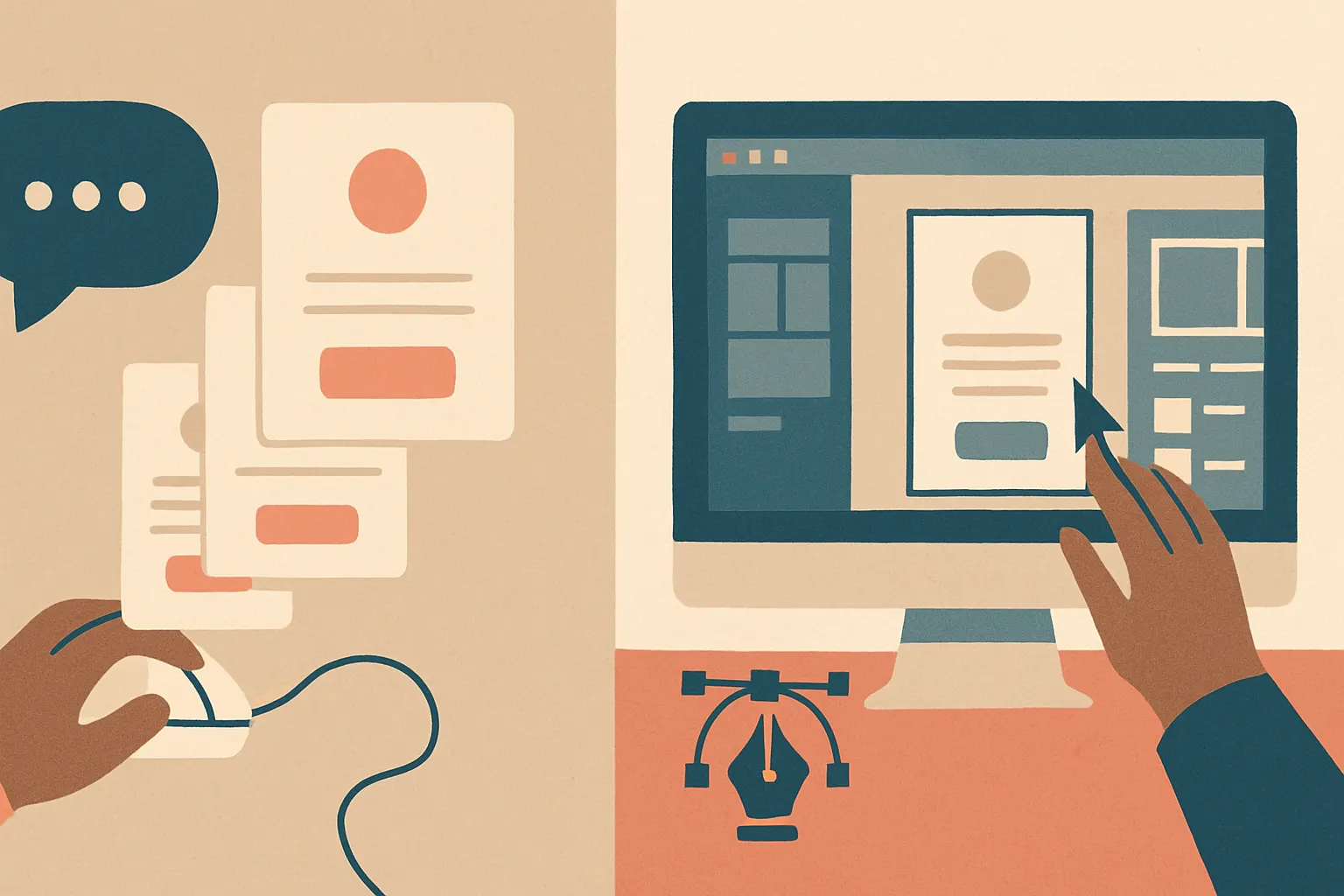
One reason conversational design is gaining ground is that the handoff can be much tighter. Instead of "here's a static mockup, now interpret it," you can move from design reasoning to structured UI output, component suggestions, copy, and even prototype scaffolding.
That doesn't replace a designer or frontend engineer. But it collapses the distance between idea and test.
For product teams trying to validate quickly, that's gold.
Here's the kind of artifact that speeds up the process:
But Figma still owns the parts that actually hurt
Now for the part the AI maximalists don't like hearing.
Claude is not better than Figma at visual design production.
Not close.
Once you move past "what should this product do?" into "what exactly should this interface be?" the old rules come back fast. Spacing, hierarchy, contrast, responsive behavior, component states, token consistency, accessibility, and collaboration across a real design system — this is where human visual judgment still dominates.
And thank God, because some AI-generated interfaces still look like a casino website and a SaaS dashboard had a regrettable child.
Figma wins at:
Visual precision
Humans can see imbalance instantly. Models still fake it a lot. They can produce something that looks plausible at first glance and subtly wrong on second glance. Misaligned rhythm. Inconsistent density. Buttons that technically exist but feel emotionally weird.
That stuff matters.
Design systems and scale
If your team has multiple products, shared components, tokens, variants, and real governance, Figma is still the operational backbone. Conversational design is great for ideation. It is not your source of truth.
Collaborative production
Design reviews, annotations, stakeholder signoff, engineering handoff, and version control around visual assets still work better in established tooling. Chat is fluid; production needs structure.
Fine-grained interaction design
Micro-interactions, nuanced motion, responsive breakpoints, and high-fidelity states still benefit from direct manipulation and visual testing. Conversation can describe these, but it doesn't fully replace seeing and tweaking them.
This is the big distinction people miss: Claude is strong at design reasoning. Figma is strong at design resolution.
You need both.
Why founders love this and some designers hate it
Because it changes who gets to participate early.
A founder with a half-baked product instinct can now pressure-test flows without waiting for a full design cycle. An engineer can explore UX alternatives without pretending to be a visual designer. A PM can turn user interview notes into candidate workflows in an hour.
That's empowering.
It's also threatening if your process depended on design tools being the gatekeepers of product thinking.
We'll say the quiet part out loud: some teams used Figma as a moat around ambiguity. If only the designer could "make it real," then everyone else had to wait. Conversational design blows a hole in that. More people can now contribute to early product shaping.
That's good.
Unless your team mistakes generated output for finished design. Then it's a disaster.
We tried versions of this kind of workflow internally on fast-moving AI features, and the failure mode was obvious: everyone got seduced by speed. We could produce ten directions before lunch, which sounds amazing until you realize nine of them were elegant nonsense. Faster ideation doesn't remove the need for taste, product judgment, or user context. It just makes bad ideas arrive sooner.
So yes, more teams say i design with claude now.
The smart ones still know when to stop chatting and start designing.
The best workflow we've seen: talk first, draw second, test third
If you're leading product or engineering, here's the practical recommendation.
Start with Claude when you're trying to answer:
- What jobs does the user need done?
- What are three viable flows?
- What copy reduces confusion?
- What edge cases exist?
- What should happen if the AI is uncertain?
- What should we prototype first?
Then move to Figma when you're trying to answer:
- What exact layout supports this flow best?
- How should hierarchy and spacing work?
- How does this fit the design system?
- What do mobile and desktop variants look like?
- Is this accessible and production-ready?
Then move into code or clickable prototypes as soon as possible.
That sequence works because each tool is being used for what it's actually good at, not what Twitter said it was good at.
For teams building AI-heavy products, we often recommend collapsing the loop even further: conversation -> rough UI -> coded prototype -> user test. If your product depends on model behavior, static design artifacts can lie to you. The interface only makes sense once it's connected to real latency, confidence, and failure behavior.
That's one reason products like RunHotel, and more broadly work in on-device AI, force discipline. The UX isn't just visual. It's bound to response timing, offline behavior, and system constraints. Pretty mockups are cheap. Real interaction is where the truth shows up.
And the truth is often rude.
So when should you actually start with Claude?
Use Claude first if:
- The problem is still fuzzy
- You need many directions quickly
- You're designing flows, copy, prompts, or edge states
- Stakeholders need alignment before visual execution
- You want to prototype a concept without overinvesting in polish
Open Figma first if:
- The flow is already settled
- You're extending an existing design system
- You need production-grade layouts
- The main challenge is visual hierarchy or interaction detail
- Multiple designers are collaborating on a shared asset base
If you're unsure, here's a blunt heuristic: if your team is still arguing about what the product should do, don't start with Figma.
That's like arguing about paint color before you've decided whether you're building a house or a boat.
The real shift isn't the tool. It's the interface to thinking.
That's why this trend matters.
"I design with claude" isn't really a statement about one product beating another. It's a statement about how product work is changing. More of the early design process is becoming conversational, iterative, and directly connected to implementation. The wall between "idea" and "artifact" is thinner now.
That creates leverage.
It also creates a lot of ugly first drafts, false confidence, and AI-generated sludge if your team has no taste. Tools don't fix weak product judgment. They amplify it.
Our hot take: conversational design will become the default starting point for early product work, but visual tools won't disappear. They'll become more specialized, more downstream, and more valuable exactly because they handle the hard part — turning messy possibility into coherent product reality.
If your team is still treating Figma as the first place ideas become real, you're probably paying a tax in time and false certainty.
A chat window won't replace design.
But it might save you from designing the wrong thing beautifully.
If you're figuring out how to build AI-native product workflows — from early UX exploration to production systems — we can help with AI consulting, implementation, and the ugly middle where prototypes meet reality. If you want to sanity-check scope or cost before building, our AI cost estimator is a good place to start. Or just contact us and tell us what you're trying to ship.
Start with conversation. Earn the pixels later.
That's usually where the good products hide.