
Why DDR5 Bandwidth Kills Local LLM Throughput
Hitesh Sondhi · July 23, 2026 · 12 min read
We’ve seen teams spend weeks arguing about quantization, prompt templates, and GPU offload settings, then lose half their throughput because the box was starved by memory bandwidth. Not compute. Not model quality. RAM.
That’s the annoying part of local LLM deployment: the bottleneck often isn’t the sexy thing on the spec sheet.
If you’ve been wondering why DDR5 bandwidth kills dual-model inference on desktops and APUs, the short version is brutal: once your model no longer fits in fast on-chip memory, inference turns into a giant exercise in moving weights back and forth through memory channels that are nowhere near fast enough. You can have plenty of TOPS on paper and still end up with sad, wheezing token generation.
A recent benchmark write-up on dual LLM inference on APUs makes this painfully clear: memory bandwidth becomes the limiting factor long before people expect it to, especially when you try to run two models or serve multiple concurrent requests on shared memory hardware Josh Green on DEV.
That article is the spark. This piece is the deployment guide.
Key Takeaways
- Local LLM inference is often memory-bandwidth-bound, not compute-bound, especially on APUs, iGPUs, and shared-memory systems Josh Green on DEV
- DDR5 helps, but it doesn’t magically fix concurrency — two simultaneous model workloads can still stomp on each other hard
- Latency and bandwidth are different problems; for LLM throughput, bandwidth usually matters more once models get large, but latency still hurts small-batch responsiveness
- If you want predictable local deployment, size hardware around memory movement first, then compute, then storage
- For production, one well-placed model often beats two “technically possible” models fighting over the same RAM bus
The part most local LLM guides hand-wave away
A lot of advice online treats inference like a pure compute problem. That’s fine if you’re benchmarking tiny models in toy settings or living entirely inside high-end VRAM.
But most real local deployments aren’t that neat.
You’re running quantized models on consumer desktops. Or APUs. Or edge boxes. Or an on-device assistant that also has to do audio, vector lookup, and UI work without turning the machine into a toaster. We’ve built enough on-device and voice systems to know this movie: the model is “running,” but the user experience is still bad because token speed collapses the second the system is under load.
That’s where memory bandwidth walks in and ruins dinner.
Here’s the mental model: every generated token requires reading a huge pile of model weights and activations. If those reads can’t be fed fast enough, the processor stalls. It doesn’t matter how clever your scheduler is if the memory subsystem is moving like airport security on a holiday weekend.
Why APUs get punished first
The benchmark story from Josh Green is useful because it highlights the ugly reality of shared-memory systems: the CPU, integrated GPU, and LLM workloads are all drinking from the same straw Josh Green on DEV.
That’s not a minor detail. That’s the whole plot.
On a discrete GPU setup, the model can live in dedicated VRAM with much higher bandwidth than standard system memory. On an APU, you’ve got unified memory, which is convenient and often cheaper, but it means your inference workload is competing with everything else. Add a second model, or even a second active user session, and the bus starts crying.
Hot take: a lot of “local AI workstation” builds are really just expensive ways to benchmark disappointment.
Bandwidth is the ceiling, not a tuning knob
People often ask whether faster DDR5 really matters. For gaming, the answer is often “sometimes.” For local LLMs on shared-memory systems, the answer is much closer to “yes, painfully.”
DDR5 increases available memory bandwidth compared with DDR4, which is one reason it helps APUs and integrated graphics workloads in general Micron. But here’s where people get confused: more bandwidth doesn’t mean the system is suddenly abundant. It just means the choke point moved a little farther down the road.
You still hit it.
And when you hit it with LLMs, the cliff can be steep. Single-model throughput might look acceptable. Then you launch a second inference stream and everything falls apart.
Why one model feels fine and two models feel broken
Because memory contention is nonlinear in practice.
A single inference workload can often occupy enough bandwidth to keep generation respectable. Add another model and you’re no longer splitting “unused headroom.” You’re forcing both workloads to fight over the same limited transfer budget, while the OS and runtime still need their share.
Here’s the simple version of what’s happening:
flowchart TD
    A[DDR5 System Memory] --> B[CPU]
    A --> C[iGPU or NPU]
    A --> D[LLM Worker 1]
    A --> E[LLM Worker 2]
    D --> F[Token Generation]
    E --> G[Token Generation]
    B --> H[OS and App Overhead]
That diagram is boring.
The consequences aren’t.
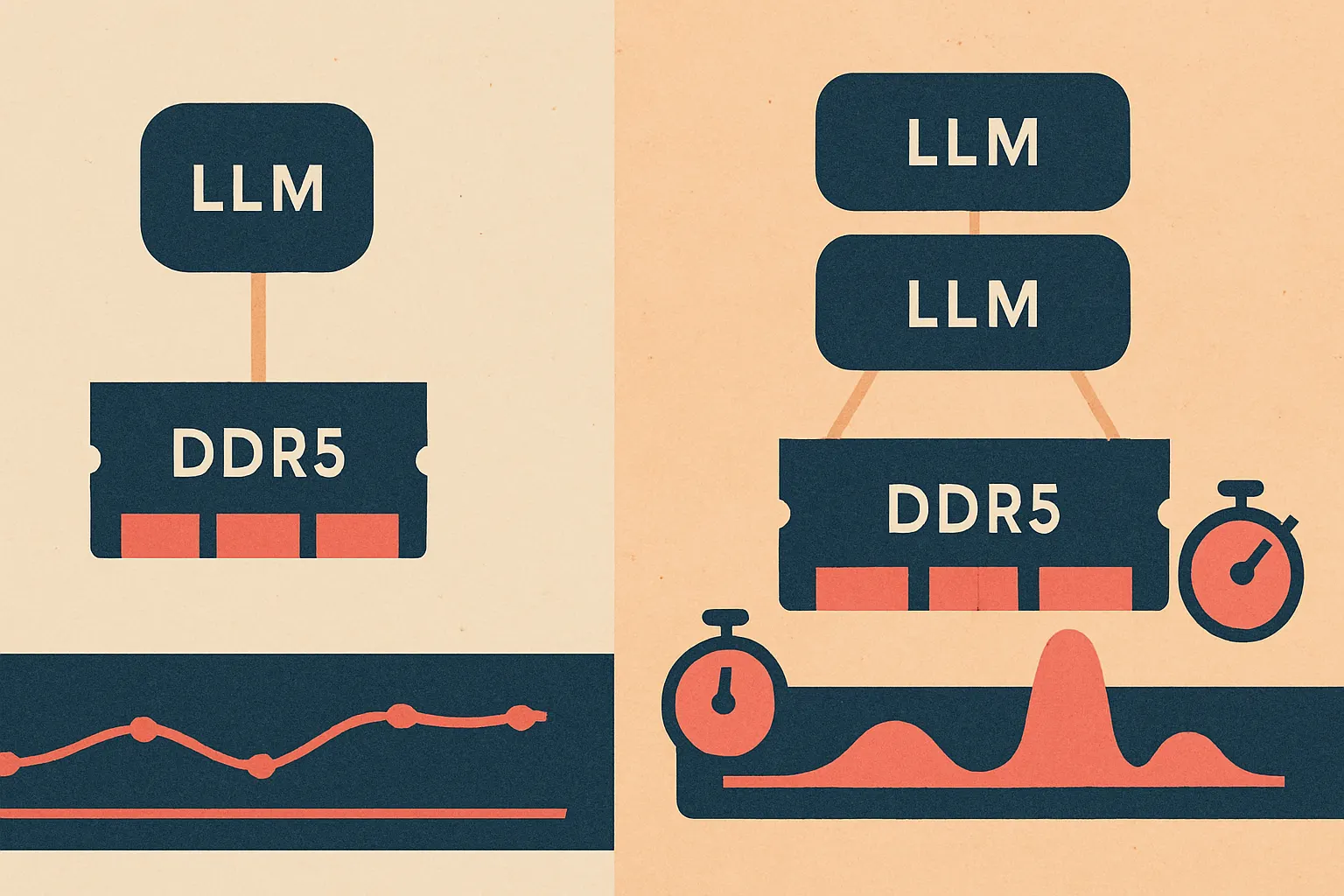
You don’t just get “half the speed” with two workloads. You can get queueing, cache misses, worse effective latency, and enough jitter that the system feels unstable even when it technically isn’t crashing. In user-facing apps, that’s poison.
We’ve seen similar behavior in edge AI setups: the first stream demos beautifully, the second stream turns the whole thing into a slideshow. Then somebody says, “But the model still fits in RAM.” Sure. And a couch technically fits through a doorway if you’re willing to destroy both.
Bandwidth vs latency: don’t mix them up
This is where PC hardware discussions get messy.
DDR5 often offers more bandwidth, but depending on configuration, timings, and platform behavior, effective memory latency can look worse than older tuned DDR4 setups in some workloads. That’s true. It’s also not the main thing killing LLM throughput in many local inference scenarios.
For LLMs, especially larger ones, the repeated movement of model weights tends to make bandwidth the more important limiter than raw latency. Latency still matters for responsiveness, small batches, and certain mixed workloads. But if you’re trying to explain why a local box falls on its face under concurrent inference, bandwidth is usually the prime suspect.
So when people ask why DDR5 bandwidth kills, the answer isn’t “DDR5 is bad.” The answer is: even DDR5 is still too slow relative to what modern inference workloads want when they’re forced through shared system memory.
That’s the distinction.
Here’s a visual way to think about it:
The deployment mistake we keep seeing
Teams size local hardware by model parameter count and RAM capacity alone.
That’s a rookie mistake.
“Can I fit a 7B model in memory?” is the wrong first question. The better question is: Can this machine feed that model fast enough for the user experience I need, with the concurrency I expect, while doing everything else the product requires?
Those are wildly different questions.
A box with enough RAM to hold two quantized models may still be a terrible dual-inference machine. If your use case involves a local chat assistant, background summarization, voice transcription, and retrieval on the same host, you’re not buying “capacity.” You’re buying contention.
And contention is where nice demos go to die.
What this means for hardware sizing
If you’re deploying local LLMs, especially on desktops, mini PCs, or APUs, use this order of operations.
1. Start with concurrency, not peak benchmark speed
If one user at a time is acceptable, your hardware options open up a lot.
If you need two simultaneous generations, or one generation plus one background agent, assume performance degradation unless you have dedicated high-bandwidth memory or discrete GPU VRAM. The DEV benchmark context is a good reminder that dual inference on APUs is exactly where things get ugly Josh Green on DEV.
2. Treat shared-memory systems as single-lane roads
APUs are great for cost, power, and compact deployments. We like them for the right jobs.
But they’re not magic. If your architecture depends on two heavy LLMs running side by side, shared DDR5 is usually the wrong place to get ambitious. Better to run one well-optimized model locally than two mediocre ones that sabotage each other.
That’s especially true in on-device AI and voice AI, where consistency matters more than theoretical maximum capability.
3. Quantization helps, but it’s not a free lunch
Quantization reduces model size and memory traffic. Good. You should probably do it.
But people oversell it. Lower-bit models still need bandwidth, and aggressive quantization can hurt output quality or create compatibility headaches depending on your runtime. Fine-tuning that balance is like salting pasta water: too little and it’s bland, too much and now everyone’s pretending dinner is still fine.
If you need tailored tradeoffs, that’s usually a custom models problem, not a “buy faster RAM” problem.
4. Reserve headroom for the non-LLM stuff
This one gets ignored constantly.
Your local app isn’t just “the model.” It’s audio pipelines, embeddings, retrieval, business logic, UI rendering, telemetry, and the operating system refusing to disappear just because you’re doing AI now. In products like RunHotel, where voice interaction has to feel immediate, headroom matters because users notice stutter instantly.
They don’t care that your benchmark looked great on an idle machine.
A practical sizing framework we’d actually use
When we scope local inference systems for clients, we don’t ask “What’s the biggest model we can cram in?” We ask:
- How many concurrent sessions are real, not aspirational?
- What token rate is actually acceptable for the UX?
- Is this interactive generation, background processing, or both?
- What else is sharing memory bandwidth?
- What happens when the system is warm, busy, and slightly abused?
That last one matters. Because production hardware is never in the pristine state of a YouTube benchmark.
Here’s a simple decision flow:
flowchart TD
    A[Need local LLM deployment] --> B{More than 1 concurrent model or session?}
    B -- No --> C[Shared-memory DDR5 system may be fine]
    B -- Yes --> D{Strict latency or real-time UX?}
    D -- No --> E[Use queueing and single active generation]
    D -- Yes --> F[Prefer discrete GPU or higher-bandwidth memory]
    F --> G[Validate with real mixed workload tests]
The boring answer is often the right one: queue requests, keep one active generation path, and avoid pretending your desktop APU is a datacenter.
Not glamorous. Very effective.
So should you avoid DDR5 systems for local AI?
No. That would be the wrong lesson.
DDR5 systems are often the sensible baseline for modern local AI builds because they offer better bandwidth than DDR4 and align with current platforms Micron. If you’re building a small local assistant, a single-user agent, or a compact AI agent workflow, DDR5 can be perfectly reasonable.
The problem is expectation mismatch.
If you expect desktop DDR5 shared memory to behave like high-bandwidth VRAM under concurrent LLM load, you’re going to have a bad time. If you design around one active model, careful quantization, and realistic throughput targets, you can build something solid.
That’s the difference between engineering and wishful thinking.
Our blunt recommendations
Here’s the advice we’d give a founder or engineering lead before they burn budget.
Use shared-memory DDR5 systems when:
- you need one primary local model at a time
- power, cost, and physical size matter
- the workload is interactive but not heavily concurrent
- you can queue or serialize secondary tasks
Avoid them for:
- dual active LLM inference
- multi-user local serving
- real-time voice plus simultaneous generation-heavy background agents
- setups where token jitter is unacceptable
Spend more on memory bandwidth when:
- your model already fits comfortably
- compute utilization looks low but tokens/sec still disappoints
- performance collapses under concurrency
- the machine is doing graphics, audio, and inference at once
And if you’re still unsure, model the economics before buying hardware. A quick pass through an AI cost estimator can save you from building a very expensive science project.
The real lesson behind “why ddr5 bandwidth kills”
It’s not really about DDR5.
It’s about respecting the physics of inference.
Local LLM deployment is constrained by data movement far more often than people want to admit. That’s especially true on APUs and other shared-memory systems, where DDR5 is doing its best but still gets overwhelmed once you ask for concurrent generation. The benchmark discussion from Josh Green is useful because it turns that from theory into something concrete: yes, memory bandwidth can absolutely kneecap dual-model local inference Josh Green on DEV.
If you’re planning a local AI product, don’t start by asking how big a model you can run.
Start by asking how much disappointment your memory bus can tolerate.
If you want help sizing a local inference stack that won’t collapse the moment a second user shows up, talk to us about AI consulting or contact us. We’d rather help you avoid the mistake than write the postmortem after.
Because “it fit in RAM” is one of the dumbest famous last words in AI infrastructure.